
Did you know that wide format printer ink freeze? When temperatures drop, the performance of liquid ink quickly becomes a concern for industrial wide‑format equipment. Frozen ink can ruin cartridges, clog printheads and delay critical projects. At Big Systems, we understand how wide format printing ink freezing and extreme temperatures can disrupt printing across sign shops, engineering departments and production lines. This guide explains why ink freezes, how cold weather affects different printer technologies and most importantly, what you can do to protect your equipment and maintain print quality.
Why Ink Freezes and Why It Matters
Ink is an emulsified mixture of pigments, surfactants, humectants and water. Water expands as it freezes, so when a cartridge is exposed to temperatures around 0 °C (32 °F) the water phase freezes, causing the pigments and solvents to separate. The expansion can crack the plastic housing and the resulting separation makes it difficult for the ink to mix properly when thawed. A frozen cartridge may therefore be permanently damaged or, at best, deliver poor colour consistency. Storing ink outside of its recommended temperature range (around 35 °F to 95 °F) shortens shelf life and can cause particulates that clog nozzles. In addition, a frozen cartridge can damage sensitive printer components, even if the dye itself survives.
Cold‑Weather Risks Beyond Freezing
Even without freezing, cold environments introduce several hazards:
- Condensation and clumping – Bringing a printer from a cold delivery vehicle into a warm environment creates condensation inside the cartridge and printer. Toner can clump and damage the printer if it is powered on immediately. Our advice is to wait at least two hours after unwrapping a cold printer to allow condensation to evaporate.
- Viscosity changes – Cold ink thickens and may not flow properly, causing streaks, missing lines or nozzle errors. Hot ink becomes too thin and leads to messy prints.
- Static build‑up – Dry winter air increases static electricity, which affects toner printers. Excess static causes bold prints, faint output or background haze.
How to Prevent Ink and Toner from Freezing
The best defence is prevention. Implement the following practices to avoid freezing and ensure consistent prints.
Control Storage Temperature and Humidity
- Maintain room temperature – Store cartridges in a stable environment. Industrial inks require 15 – 30 °C (59 – 86 °F) with humidity between 35 % and 65 %. Avoid storing cartridges in attics, garages or basements where temperature swings and humidity can separate the dye.
- Avoid high or freezing temperatures – Epson cautions against storing cartridges in either high heat or freezing conditions. Recommending keeping ink between 35 °F and 95 °F to prevent particulates. HP advises storing cartridges between –15 °C and 35 °C (5 – 95 °F) and keeping them sealed until installation.
- Monitor humidity – Humidity above 65 % can separate the dye, while very dry air increases static. Use humidifiers or dehumidifiers to maintain the recommended range.
Store Cartridges Correctly
- Keep cartridges sealed and upright – Cartridges should remain in their vacuum‑sealed packaging until installation. Epson recommends storing packages with the label facing up and warns against storing them upside down.
- First‑in, first‑out – Rotate inventory. Using ink in the order it was purchased to avoid deterioration from long storage. Most inks have a shelf life of about one year.
- Avoid direct sunlight and heat sources – Heat can cause air bubbles to expand and leak. Store cartridges in a cool, dark place and keep them near the printer so you can monitor temperature.
- Keep dust away – Seal ink containers to prevent dust or impurities from entering. Dust can clog nozzles and degrade print quality.
Manage Printing Environment
- Keep printers indoors – Place printers in temperature‑controlled rooms. For northern regions, move spare ink to the printing area 24 hours before use so that its temperature matches the printer.
- Allow acclimation before power‑on – If a printer or cartridge has been in cold storage or transport, allow it to warm to room temperature for at least two hours. Epson recommends warming cartridges for three hours after bringing them indoors.
- Turn off printers properly – HP explains that turning the printer off via its power button moves the cartridges to a capped position to prevent drying out; always wait for the power light to go out before unplugging.
Shipping and Ordering in Winter
Cold-weather shipping poses its own challenges. When possible, schedule ink deliveries during warmer months or arrange pickup at a post office to prevent packages from sitting in cold mailboxes. For industrial operations, maintain at least a minimal ambient heat in receiving areas.
Considerations for Wide‑Format and Production Printing
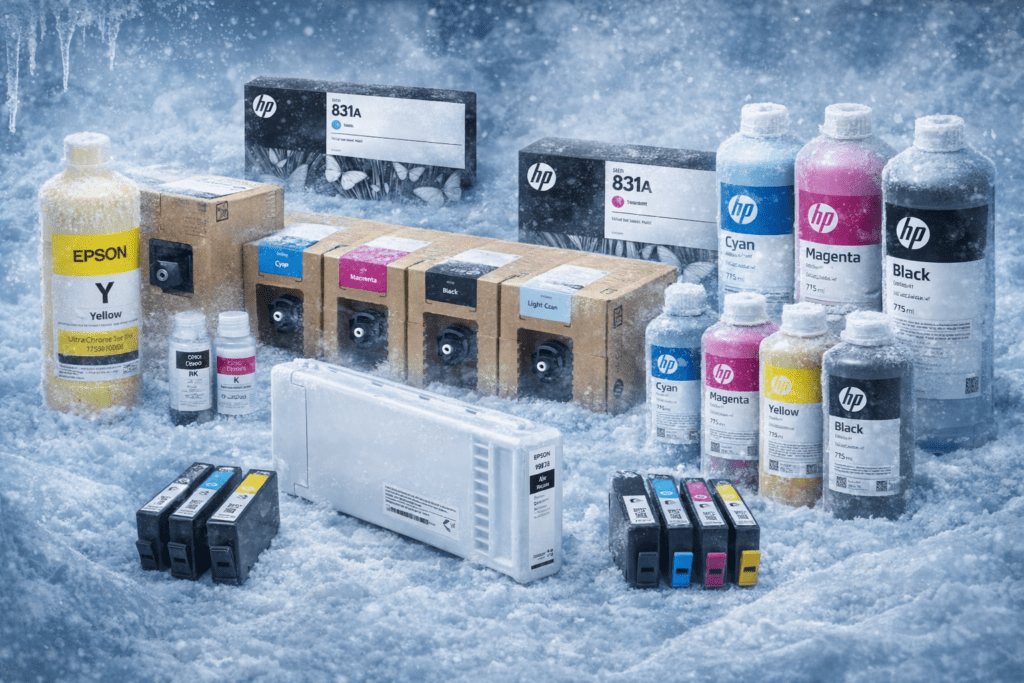
Wide‑format printers such as HP Latex, Epson SureColor and Mimaki deliver high productivity but often use water‑based inks. These printers should be installed in environments with tight climate control. Consult manufacturer guidelines for specific models: HP suggests storing ink between –15 °C and 35 °C and keeping cartridges sealed, while Epson advises storing in a cool, dark place and warming cold cartridges for three hours before use.
What to Do if Your Ink Freezes
Mistakes happen, ink may freeze during transit or storage. Here is a recovery procedure:
- Warm slowly – Bring the cartridge into a warm room and let it thaw gradually. Allow the cartridge and printer to reach at least 10 °C (50 °F) before printing.
- Do not heat artificially – Avoid microwaves, ovens or direct heaters; rapid expansion can cause leaks or warping.
- Shake gently to remix – Once at room temperature, gently shake the cartridge to redistribute pigments and solvents.
- Run a cleaning cycle – Install the cartridge and run the printer’s cleaning utility. If print quality remains poor, the freeze may have permanently damaged the ink or printhead.
- Monitor the printer – Frozen cartridges can crack and leak; inspect for leaks before use and contact a service specialist if you notice damage.
About This Guidance
The information in this article is based on common ink behavior and real-world printing environments. Environmental factors such as temperature, humidity, and storage conditions can affect results. For best performance, consult with a Big Systems specialist to ensure proper ink handling for your application
Frequently Asked Questions
Does wide format printer ink freeze?
Yes. Water-based ink can freeze at approximately 0 °C (32 °F). When it does, pigments separate and the water expansion can crack plastic cartridges. Toner, being powder, does not freeze but cold conditions can cause condensation and static build-up.
At what temperature does ink become unusable?
If ink is exposed to temperatures below freezing, it may become unusable even after thawing because the pigments and solvents may not remix properly. Storing ink within 35 °F to 95 °F extends shelf life. HP recommends keeping cartridges between –15 °C and 35 °C, while Hanrun Paper suggests 15 – 30 °C (59 – 86 °F) for optimal color reproduction.
How should I store spare cartridges?
Keep spare cartridges in their original, sealed packaging and store them upright in a cool, dark place. Avoid attics, garages or basements that experience wide temperature swings. Follow first‑in, first‑out inventory practices and use cartridges within one year of purchase.
Can I use a frozen ink cartridge after thawing?
Sometimes. Allow the cartridge to warm slowly to room temperature and gently shake it to re‑mix the ink. However, freezing can cause permanent pigment separation or crack the cartridge housing, so print quality may remain compromised. You may need to replace the cartridge if colours look inconsistent or the printer reports errors.
Should I leave the printer on or off in winter?
HP advises turning off the printer using the power button and waiting for the power light to go out before unplugging.
Is it safe to order ink in winter?
It can be, but take precautions. Shipping carriers may leave packages in unheated trucks or mailboxes. Whenever possible, arrange for pickup at a post office or require a signature so deliveries stay indoors.
How do I know if a cartridge has expired?
Cartridges have an expiry date on the packaging. Epson recommends using cartridges before the best‑before date or within six months of opening. Older cartridges may produce faded or streaky prints. Big Systems can help you track inventory and replace aged stock.
How to Prevent Wide Format Printer Ink Freeze in Cold Weather?
Preventing wide format printer ink freeze in cold weather starts with storing ink and printers in temperature controlled indoor environments and avoiding exposure to freezing conditions during storage or delivery. Always allow cartridges and equipment to fully acclimate to room temperature before use and manage winter shipping carefully to maintain consistent print quality and equipment reliability.
What is Big Systems’ role?
We are a value‑added wide‑format reseller, offering a diverse product line and manufacturer‑certified colour and workflow specialists. Our team can help you select inks suited for your printing environment and provide nationwide installation and repair services. We also private label our own print media and RIP software, enabling us to offer flexible solutions at competitive prices. If you have questions about ink storage, freezing or any wide‑format challenge, contact us for tailored guidance.
Conclusion and Next Steps
Cold weather poses unique challenges for printers and ink. Wide format printer ink freezing can separate and crack cartridges, while condensation, static and viscosity changes can damage printheads and degrade quality. By controlling temperature and humidity, storing cartridges properly, and allowing equipment to acclimate, you can prevent most issues. Should a freeze occur, warm the cartridge slowly and test it, but be prepared to replace it if performance suffers.By controlling storage conditions, managing winter deliveries, and following manufacturer best practices, you can prevent wide format printer ink freeze and protect print quality, equipment reliability, and production uptime throughout cold weather months.
As your trusted wide‑format printing partner, Big Systems is here to help you implement these best practices. We offer a full range of inks, toners and media, along with nationwide service and consulting. To ensure uninterrupted production this winter, order your supplies from Big Systems today and contact our specialists for personalized advice. Together, we’ll help you print brilliant, no matter the weather.